Source Android Windows Digital Signage Kiosk for Retail
Source 30 android windows digital signage kiosk units for retail, hospitality, and corporate lobbies. Compare LCD displays with touchscreens, 4K resolution, and floor stand mounting options from Shenzhen suppliers; compare the available evidence and request quotations based on your requirements.
Key considerations
Products List


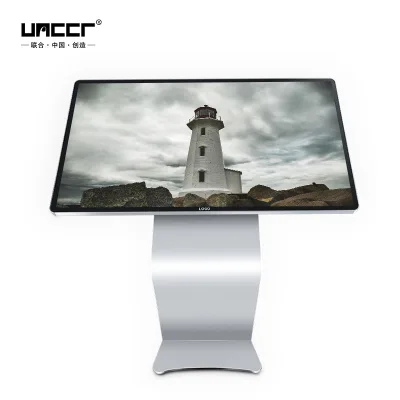
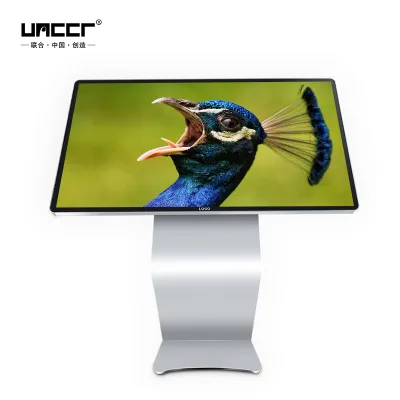


Comprehensive Sourcing Guide
Android Windows Digital Signage Kiosk Sourcing Guide
Selecting the right digital signage kiosk requires balancing hardware durability with software flexibility, particularly when deciding between Android and Windows operating systems. Android-based units often offer cost-effective solutions for standard advertising displays, leveraging built-in Wi-Fi and touch capabilities for indoor retail or food service environments. These systems typically support video formats and remote control, making them ideal for high-traffic areas where ease of content management is paramount. Buyers must evaluate whether the open nature of Android aligns with their specific content delivery needs and security requirements.
Conversely, Windows-based kiosks provide greater compatibility with legacy enterprise software and complex self-service applications, such as food ordering systems or point-of-sale integrations. These units often feature more robust processing power, including Intel CPUs, to handle demanding tasks like thermal printing or non-contact IC card payments. The choice between operating systems should be driven by the intended function, whether it is simple media playback or intricate transactional processing. Understanding this distinction ensures that the selected hardware can support the required software ecosystem without performance bottlenecks.
Product Scope and Observed Listing Signals
The market for digital signage kiosks spans a wide range of configurations, from basic LCD advertising displays to complex self-service food kiosks. Observed listings indicate a price range of $115 to $8,000, reflecting variations in screen size, resolution, and integrated peripherals. Common specifications include 4K Ultra HD or Full HD resolutions, with brightness levels ranging from 250 to 600 nits to ensure visibility in various indoor lighting conditions. Buyers should note that models vary significantly, with some offering dual-screen setups and others focusing on single-panel efficiency for space-constrained environments.
Key features frequently highlighted in listings include touchscreen functionality, remote control capabilities, and built-in cameras for interactive experiences. Packaging options range from standard cartons to wooden boxes or flight cases, indicating the need for careful logistics planning for fragile electronic components. The presence of specialized functions, such as thermal printers or card readers, suggests that many units are designed for specific verticals like retail or hospitality. Procurement teams must carefully map these observed attributes to their operational requirements to avoid over-specifying or under-equipping their deployment.
Technical Specifications to Verify
When evaluating technical specifications, resolution and display quality are critical for ensuring clear content delivery. Buyers should verify whether the unit supports 4K Ultra HD or Full HD, as this impacts the visual fidelity of marketing materials. Brightness levels, often cited between 350 and 600 nits, are essential for maintaining visibility in well-lit indoor spaces. Additionally, response times of around 3ms and wide viewing angles of 178 degrees contribute to a smoother user experience, particularly for interactive touchscreen applications where latency can frustrate users.
Memory and storage configurations vary widely, with some units offering 2GB RAM and 16GB storage, while others provide 4GB RAM and 32GB storage for more demanding applications. The operating system, whether Android or Linux, dictates the available software ecosystem and update mechanisms. Buyers must also consider connectivity options, such as Wi-Fi, and the inclusion of peripherals like thermal printers or card readers. Verifying these specifications ensures that the hardware can handle the intended workload, whether it is simple media playback or complex transactional processing.
Compliance and Safety Documentation
Safety and compliance are paramount when deploying kiosks in public spaces, particularly those involving payment processing or food service. Buyers must ensure that the hardware meets relevant electrical safety standards and electromagnetic compatibility regulations for the target market. Documentation should include certificates for power adapters, internal wiring, and overall unit construction to mitigate risks of electrical faults or overheating. Without proper certification, deployments may face regulatory hurdles or insurance complications, especially in regions with strict consumer protection laws.
Data security is another critical aspect, particularly for kiosks handling personal information or financial transactions. Units with built-in cameras or network management capabilities must comply with privacy regulations regarding data collection and storage. Buyers should verify that the operating system and software environment support secure boot processes and regular security updates. Additionally, physical safety features, such as tempered glass screens and secure mounting mechanisms, are essential to prevent tampering or accidental injury. Ensuring comprehensive compliance documentation protects both the operator and the end-user.
Cost Drivers and Commercial Terms
Several factors influence the total cost of ownership for digital signage kiosks, including screen size, resolution, and integrated peripherals. Higher brightness levels, 4K resolution, and specialized features like thermal printers or card readers significantly increase the base price. Buyers should also consider the cost of mounting solutions, such as floor stands, which add to the initial investment but are necessary for stability and visibility. Packaging requirements, ranging from cartons to wooden boxes, can also impact shipping costs and potential damage rates during transit.
Commercial terms, including minimum order quantities (MOQ) and payment methods, vary among suppliers. Observed MOQs range from 1 to 20 units, offering flexibility for small-scale deployments or large-scale rollouts. Payment options may include mobile payments or traditional methods, depending on the supplier’s preferences. Buyers should negotiate clear terms regarding warranty coverage, which typically ranges from 1 to 3 years, and return policies for defective units. Understanding these commercial dynamics helps in budgeting accurately and avoiding unexpected expenses during the procurement process.
Supplier Qualification and Quality Control
Supplier qualification is essential to ensure consistent quality and reliable after-sales support for digital signage kiosks. Buyers should verify the supplier’s manufacturing capabilities, including their ability to produce units with specific customizations and standards. Factories located in regions like Shenzhen, China, often have established supply chains for electronic components, but buyers must assess their quality control processes rigorously. Requesting samples before bulk orders allows for hands-on evaluation of build quality, screen performance, and software stability.
Quality control measures should include testing for brightness uniformity, touch responsiveness, and thermal management under continuous operation. Buyers should inquire about the supplier’s defect rate and their process for handling warranty claims. Customization options, such as branding or specific software pre-installations, require clear communication and agreed-upon specifications to avoid discrepancies. Establishing a strong relationship with a qualified supplier ensures that any technical issues are resolved promptly, minimizing downtime and maintaining a professional customer experience.
Long-Term Procurement Checks
Long-term procurement success depends on the supplier’s ability to provide ongoing software updates and hardware support. Buyers should verify the availability of firmware updates for Android or Windows systems to address security vulnerabilities and add new features. The lifespan of the display, often cited around 50,000 hours, is a key metric for evaluating durability, but real-world performance may vary based on usage patterns and environmental conditions. Regular maintenance checks and access to replacement parts are crucial for extending the operational life of the kiosks.
Additionally, buyers should monitor the supplier’s product roadmap to ensure compatibility with future content management systems and emerging technologies. As digital signage evolves, the ability to integrate new peripherals or upgrade internal components becomes increasingly important. Establishing a clear communication channel for technical support and troubleshooting helps in resolving issues quickly. By focusing on long-term support and adaptability, buyers can protect their investment and ensure that their digital signage solutions remain effective and relevant over time.
FAQs
What display technologies are available for indoor digital signage?
LCD technology is the standard for indoor digital signage displays. These units typically feature a 16:9 aspect ratio and offer viewing angles of 178 degrees horizontally and vertically. Brightness levels range from 250 to 600 nits, ensuring clear visibility in well-lit indoor environments. Response times are generally around 3ms, providing smooth visual performance for advertising content.
Can these kiosks support Android operating systems and 4K resolution?
Yes, many models support the Android operating system and deliver 4K Ultra HD resolution. These units often include 4GB of memory and 32GB of storage capacity for robust content management. They are designed to handle high-definition video formats efficiently, making them suitable for high-impact digital signage applications in commercial spaces.
What mounting options are available for floor-standing digital displays?
Floor stand mounting is a common option for these digital signage units. This configuration allows for flexible placement in lobbies, retail stores, or exhibition halls without requiring wall installation. The sturdy metal shell construction ensures stability, while the design accommodates various screen sizes from 13 to 29 inches for optimal viewer engagement.
Are touchscreen and remote control features standard on these displays?
Touchscreen and remote control features are frequently included in these digital signage products. Some advanced models also integrate built-in cameras and Wi-Fi connectivity for enhanced interactivity and remote management. These special features enable dynamic user engagement and simplify content updates, making them ideal for self-service ordering kiosks and interactive advertising displays.
What is the typical lifespan and warranty period for these units?
The typical lifespan of these LCD displays is approximately 50,000 hours. Manufacturers usually offer a warranty period ranging from 1 to 3 years to ensure product reliability. This durability makes them suitable for continuous operation in commercial environments, providing long-term value for businesses investing in digital signage solutions for advertising or information dissemination.
How are these digital signage units packaged for shipping?
These units are packaged in cartons, wooden boxes, or flight cases to ensure safe transit. The packaging protects the metal shell and screen components during international shipping. Standard packing methods include wooden boxes for larger displays and cartons for smaller models, ensuring that the products arrive in pristine condition ready for installation and immediate use in various indoor settings.