Source SDK Full Self-Service Kiosk for Restaurants, Hotels, and Government
Explore 30 SDK Full Self-Service Kiosk options tailored for restaurants, hotels, and government applications. Compare features like touch screens, payment systems, and Android or Windows operating systems to find the right solution for your business needs; compare the available evidence and request quotations based on your requirements.
Key considerations
Products List


One Stop Service for Customized Multi-Function Self-Service Terminal Kiosk
$1000.00 - $1500.00
MOQ: 1 Pieces


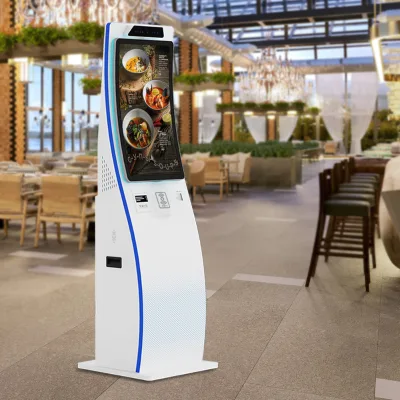

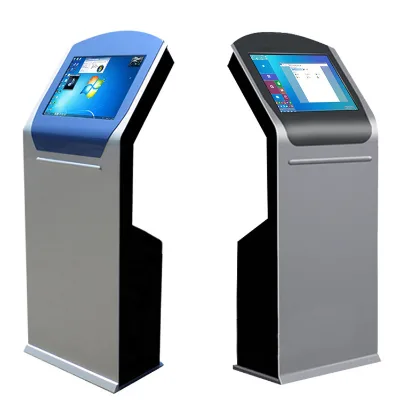
Comprehensive Sourcing Guide
SDK Full Self-Service Kiosk Sourcing Guide
Procuring an SDK-enabled full self-service kiosk requires a strategic approach that balances hardware robustness with software flexibility. Buyers must prioritize devices that support extended networking and offer customizable interfaces to meet specific operational workflows. The availability of touch screen technology and power-off protection ensures continuous operation even during unexpected power fluctuations, which is critical for high-traffic environments. Understanding these foundational attributes helps in selecting a unit that aligns with both immediate functional needs and long-term scalability goals.
The integration of an SDK allows for deep customization, enabling businesses to tailor the user experience to their unique brand identity and operational requirements. This flexibility is particularly valuable for industries such as hospitality, government services, and retail, where specific data collection and payment processing protocols are essential. By focusing on devices that support wireless data transmission and multiple operating systems, buyers can ensure seamless integration with existing backend systems. This approach minimizes integration costs and reduces the risk of compatibility issues during deployment.
Product Scope and Observed Listing Signals
The current market for self-service kiosks presents a diverse range of options, with observed prices spanning from $150 to $6,900 USD. This wide variance reflects differences in screen size, processing power, and included peripheral modules such as barcode scanners or receipt printers. Minimum order quantities typically range from one to ten units, offering flexibility for both pilot deployments and large-scale rollouts. Buyers should carefully evaluate the total cost of ownership, considering not just the unit price but also the cost of customization and ongoing maintenance.
Listing signals indicate a strong emphasis on indoor applications, with specific models designed for hotels, restaurants, and government offices. Common specifications include 19-inch and 23.6-inch screens, with some units featuring curved capacitive touch displays for enhanced user interaction. The presence of features like failure self-detection and anti-filling currency detection highlights the industry's focus on reliability and security. These attributes are crucial for maintaining operational efficiency and reducing downtime in busy service environments.
Technical Specifications to Verify
Verifying technical specifications is paramount to ensuring the kiosk meets operational demands. Key attributes to confirm include the operating system, which may range from Android to Windows 7/10, depending on software compatibility requirements. Buyers should also verify the screen type, with capacitive curved touch screens offering superior responsiveness compared to resistive alternatives. Additionally, the inclusion of optional modules such as cameras, speakers, and printers should be assessed based on specific transactional needs, such as document scanning or receipt generation.
Data collection capabilities are another critical area for verification, with options including RFID data acquisition and industrial data acquisition systems. The choice between wireless and wired signal transmission can impact installation complexity and flexibility. Furthermore, the power supply requirements, typically 110-240V 50Hz/60Hz, must align with local electrical standards. Ensuring these technical details are accurately specified prevents costly retrofits and ensures seamless integration with existing infrastructure.
Compliance and Safety Documentation
Compliance with international safety and environmental standards is non-negotiable for global procurement. Buyers should verify that devices carry certifications such as CE, RoHS, GS, CCC, and UL, which attest to adherence to rigorous safety and electromagnetic compatibility regulations. These certifications are essential for market access in various regions and help mitigate legal and liability risks associated with deploying electronic equipment in public spaces. Documentation should be readily available from suppliers to facilitate customs clearance and regulatory approval.
Environmental conditions and material composition also play a significant role in compliance and durability. Kiosks designed for indoor use should be constructed from robust materials like cold-rolled steel to withstand frequent use and potential vandalism. Buyers should also inquire about the warranty terms, with one-year warranties being common, and verify the availability of spare parts and technical support. Ensuring that all compliance documentation is up-to-date and verifiable protects the buyer from potential regulatory penalties and operational disruptions.
Cost Drivers and Commercial Terms
Several factors influence the final cost of a self-service kiosk, including screen size, processing power, and the complexity of customization. Customization options, such as logo printing and multi-language OSD support, can add to the initial price but enhance brand alignment and user accessibility. Buyers should also consider the cost of additional modules, such as barcode scanners or currency detectors, which are often sold separately. Understanding these cost drivers allows for more accurate budgeting and prevents unexpected expenses during the procurement process.
Commercial terms, including payment methods and shipping arrangements, are equally important. Most suppliers accept credit card payments and offer standard export packing with bubble foam and wood to ensure safe transit. Lead times and minimum order quantities can vary, so buyers should negotiate terms that align with their deployment schedule. Additionally, the availability of 24-hour service support can impact the total cost of ownership, so it is essential to clarify service level agreements and response times before finalizing the purchase.
Supplier Qualification and Quality Control
Supplier qualification is a critical step in mitigating procurement risks. Buyers should assess the supplier's manufacturing capabilities, quality control processes, and track record in delivering similar products. Factories located in industrial hubs like Shenzhen, China, often have established supply chains and experienced engineering teams, but due diligence is still necessary. Verifying the supplier's ability to provide customized solutions and handle complex integration requirements ensures that the final product meets specific operational needs.
Quality control measures should include rigorous testing of hardware components and software stability. Buyers should request test reports or certification documents that demonstrate the kiosk's performance under various conditions. Additionally, establishing clear communication channels with the supplier facilitates timely resolution of any issues that may arise during production or deployment. A proactive approach to supplier management helps ensure consistent quality and reliable performance across all deployed units.
Long-Term Procurement Checks
Long-term success depends on the kiosk's ability to adapt to evolving technological and operational requirements. Buyers should prioritize devices that support extended networking and offer regular software updates to address security vulnerabilities and enhance functionality. The availability of an SDK allows for future customizations, ensuring that the kiosk can evolve alongside business needs. Regularly reviewing the supplier's product roadmap helps identify opportunities for upgrades or replacements that maintain compatibility with existing systems.
Maintenance and support are also key considerations for long-term procurement. Buyers should establish a clear protocol for handling hardware failures and software issues, leveraging features like failure self-detection to minimize downtime. Additionally, monitoring the performance of deployed kiosks provides valuable insights into user behavior and operational efficiency, informing future procurement decisions. By focusing on adaptability and support, buyers can maximize the return on investment and ensure the longevity of their self-service infrastructure.
FAQs
What certifications are available for SDK Full Self-Service Kiosk units?
Certifications include CE, RoHS, GS, CCC, UL, and ISO standards. These ensure compliance with international safety and environmental regulations. Buyers can verify specific documentation during the sourcing process to meet local regulatory requirements for government or commercial installations.
Can SDK Full Self-Service Kiosk units support extended networking?
Yes, the units support extended networking capabilities. This allows for seamless integration into larger systems or distributed environments. The wireless data collector signal transmission further enhances connectivity options for efficient data acquisition and real-time monitoring across multiple locations.
What is the standard packaging for SDK Full Self-Service Kiosk shipments?
Packaging typically involves carton boxes with wooden cases or standard export packing with bubble foam and wood. This robust method protects the cold-rolled steel shell during transit. Proper packaging ensures the hardware arrives undamaged, maintaining the integrity of the touch screen and internal components.
Which operating systems run on the SDK Full Self-Service Kiosk data collector?
The data collector operates on Android or Windows Mobile systems. Some models also support Windows 7/10. This flexibility allows developers to choose the most suitable platform for their application needs, ensuring compatibility with various software solutions and user interface designs for self-service tasks.
How does the SDK Full Self-Service Kiosk handle power failures?
The unit features power-off protection to safeguard data and hardware. This mechanism prevents corruption during unexpected power loss. It ensures reliable operation in environments like hotels or restaurants, where consistent service is critical. The system resumes normal function once power is restored without manual intervention.
What screen types are available for SDK Full Self-Service Kiosk models?
Options include capacitive curved touch screens with sizes like 23.6 inches. These screens offer responsive interaction for users. The curved design enhances ergonomics and visibility. Buyers can select specific dimensions based on installation space and user interaction requirements for optimal performance in various commercial settings.