Find wall-mounted capacitive touch screen kiosk for retail, transport, and events
Source 30 verified options for a wall-mounted capacitive touch screen kiosk designed for retail, public transport, and event applications. Buyers can compare features like OS, screen size, and installation types to find the right solution for their needs.
Key considerations
Products List


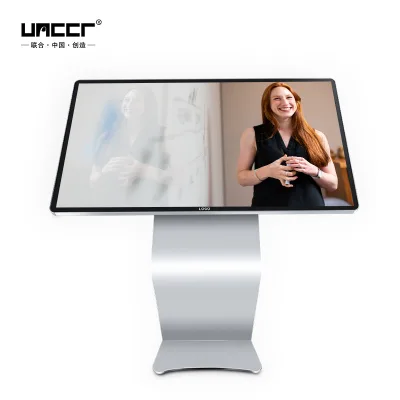
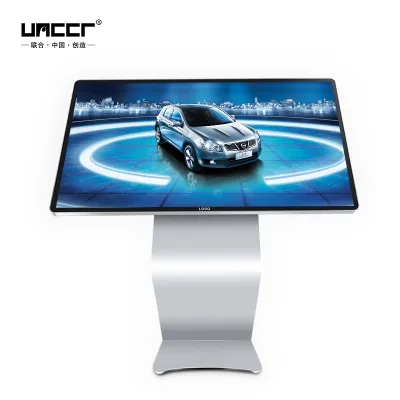
Factory 43 49 55 Inch Interactive Capacitive Touch Screen Table Kiosk
$1000.00 - $1100.00
MOQ: 2 Pieces


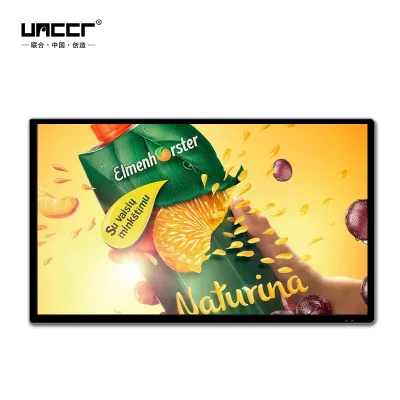
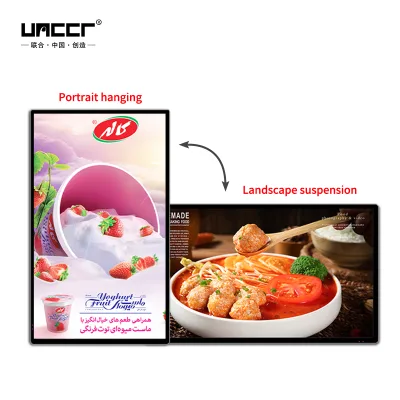
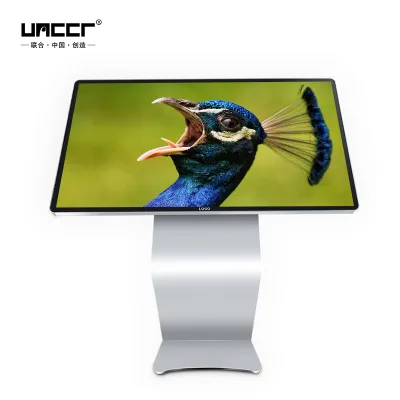
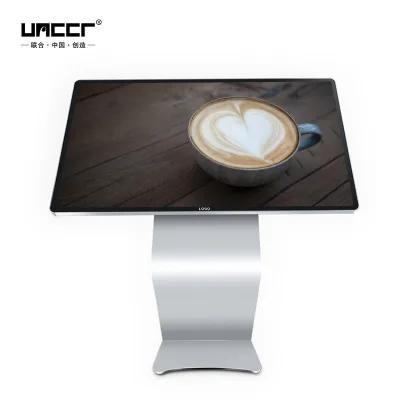
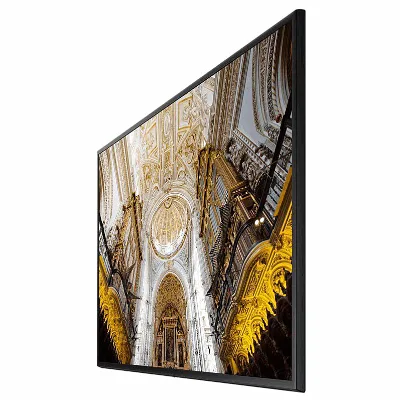


32-Inch Wall Mounted LCD Panel Touch Screen Monitor All in One Touchscreen Kiosk
$100.00 - $1000.00
MOQ: 1 Pieces


86 Inch Wall Mounted All in One Advertising Player Touchscreen Monitor Kiosk
$100.00 - $1000.00
MOQ: 1 Pieces


Comprehensive Sourcing Guide
Strategic Sourcing Guide for Wall-Mounted Capacitive Touch Screen Kiosks
Defining the Core Product Architecture
The procurement of a wall-mounted capacitive touch screen kiosk requires a precise understanding of the underlying hardware architecture, as the term "kiosk" encompasses a wide spectrum of configurations ranging from simple display units to complex self-service terminals. Based on current market observations, the core product category includes devices designed for both indoor and semi-outdoor environments, with specific applications in advertising, bus and car transit systems, and shopping guides. A critical distinction in this sector is the touch technology; while resistive screens are common in legacy industrial units, the specific focus on capacitive touch screens indicates a demand for multi-touch capabilities and superior optical clarity, which are essential for modern user interfaces.
The display technology itself varies significantly between product listings. Some units utilize LCD screen technology with IPS Full HD wide screens, offering brightness levels around 800 nits, which is suitable for indoor advertising players and semi-outdoor applications. In contrast, other segments of the market offer LED video displays with pixel pitches as fine as 2.5mm, utilizing a 1/8 scan mode and full-color tube chip configurations. When sourcing a wall-mounted unit, the buyer must verify whether the specific model prioritizes high-resolution video playback (LED) or standard text and image display (LCD). The operating system is another pivotal variable; observed configurations include Windows-based systems, Android platforms, and dual-OS setups featuring Windows 10. The choice of OS directly impacts the software ecosystem, peripheral compatibility, and the longevity of the device's lifecycle.
Technical Specifications and Interface Requirements
When evaluating the technical specifications of a wall-mounted capacitive touch screen kiosk, the interface and connectivity options are paramount for integration into existing infrastructure. The physical interface types observed in the market include USB and HDMI ports, which facilitate data transfer and video signal input. For networked applications, such as digital signage or self-service ordering, the presence of an RJ45 connector is standard, often paired with multiple USB ports (e.g., USB*2) to support peripheral devices like card readers or barcode scanners.
Storage and memory configurations also vary by model. High-performance units may be equipped with 4GB of RAM and substantial storage options, such as 64GB disks, to support complex applications like self-service query systems or video playback. The physical dimensions and aspect ratios are equally critical for wall mounting. While some units adhere to standard screen sizes like 55 inches, others are custom-built with specific dimensions, such as 5403701520 mm, to fit unique architectural constraints. The aspect ratio is frequently customizable, with 16:9 being a common standard, though some listings indicate custom aspect ratios to accommodate specific display needs.
The following table summarizes the key technical attributes observed in the current market for wall-mounted capacitive touch screen kiosks:
| Attribute Category | Observed Specifications | Application Context |
|---|---|---|
| Touch Technology | Capacitive, Resistive | Capacitive preferred for multi-touch; Resistive for durability |
| Screen Type | IPS Full HD, LED Video Display | IPS for clarity; LED for high-brightness outdoor use |
| Operating System | Windows, Android, Dual OS (Win 10) | Windows for enterprise apps; Android for media |
| Connectivity | USB, HDMI, RJ45 | Essential for network and peripheral integration |
| Installation | Wall-Mounted, Vertical | Requires robust mounting hardware and cable management |
| Display Function | Video, Text, Image & Text, Market Display | Determines content strategy and software needs |
| Material | SPCC (Steel) | Ensures structural integrity for wall mounting |
Compliance, Certification, and Safety Standards
Navigating the compliance landscape is a non-negotiable aspect of sourcing electronic kiosks, particularly when the units are deployed in public spaces or transportation hubs. The market data indicates that reputable suppliers typically provide certifications such as CCC (China Compulsory Certification), CE (Conformité Européenne), ETL (Intertek), and RoHS (Restriction of Hazardous Substances). These certifications are not merely marketing claims but are essential for ensuring that the product meets electrical safety, electromagnetic compatibility, and environmental standards required in various global markets.
Buyers must verify that the specific model they intend to purchase carries the relevant certifications for their target region. For instance, CE certification is mandatory for entry into the European market, while CCC is required for domestic sales in China. The RoHS standard ensures that the device does not contain hazardous materials, which is increasingly important for environmental compliance and disposal regulations. Additionally, the IP rating, often cited in LED display contexts, is a critical factor for units intended for semi-outdoor or harsh environments. While specific IP ratings vary, the presence of an IP rating indicates a level of protection against dust and water ingress, which is vital for the longevity of the kiosk in outdoor settings.
It is important to note that while some background information may reference ISO 9001:2008, this should be treated as a general quality management standard rather than a specific product attribute. Buyers should request current certification documents from the supplier to confirm that the specific batch of kiosks being purchased adheres to the latest safety and environmental regulations.
Cost Drivers and Pricing Dynamics
The pricing of wall-mounted capacitive touch screen kiosks is influenced by a complex interplay of factors, including screen technology, customization levels, and hardware specifications. The observed price range in the market is extensive, spanning from approximately $33 to $20,000 USD. This wide variance reflects the difference between basic display units and fully integrated, custom-engineered self-service terminals.
Several key drivers contribute to the final cost. First, the screen technology is a primary cost factor; LED video displays with fine pixel pitches (e.g., 2.5mm) generally command a higher price than standard LCD panels. Second, the operating system and hardware configuration play a significant role. Units equipped with dual operating systems, larger RAM, and specialized storage solutions will be more expensive than those running a single OS with minimal specifications. Third, customization is a major cost driver. The market data confirms that customization is available for various attributes, including the product model, packing, and standard dimensions. Customized units often require additional engineering, tooling, and production time, which increases the unit cost.
The Minimum Order Quantity (MOQ) also impacts the effective cost per unit. Observed MOQs range from 1 to 5 units, suggesting that suppliers are flexible for small-scale pilots but may offer better pricing for larger bulk orders. Buyers should be aware that while the base price of a standard unit might be low, the total cost of ownership includes the expenses associated with custom packaging (such as wooden boxes or carton boxes), installation hardware, and any proprietary software licensing.
Typical Applications and Deployment Scenarios
Wall-mounted capacitive touch screen kiosks are versatile tools deployed across a diverse range of industries. The primary applications identified in the market include indoor and outdoor advertising players, bus and car advertising systems, and semi-outdoor installations. In the retail sector, these kiosks serve as self-service ordering terminals, shopping guides, and self-service query stations. The ability to display video, text, and image combinations makes them ideal for dynamic advertising campaigns in shopping malls, transit stations, and corporate lobbies.
The installation method is a critical consideration for deployment. The majority of these units are designed for wall-mounted or vertical installation, which requires careful planning regarding cable management, power supply access, and structural support. The material composition, often SPCC steel, provides the necessary durability for high-traffic areas. Furthermore, the inclusion of features like card reader holders mounted on the backside of the screen enhances the functionality of self-service kiosks, allowing for secure payment processing or identity verification without compromising the user interface.
For transportation applications, such as bus or car AD players, the units must be robust enough to withstand vibration and varying environmental conditions. The choice between resistive and capacitive touch screens in these scenarios depends on the user interface requirements; capacitive screens offer a more modern, responsive experience, while resistive screens may offer better durability against accidental impacts in transit environments.
Supplier Evaluation and Quality Control Protocols
Selecting a reliable supplier for wall-mounted capacitive touch screen kiosks requires a rigorous evaluation process that goes beyond price comparisons. Buyers should prioritize suppliers who demonstrate transparency in their manufacturing processes and provide clear documentation regarding product standards and certifications. The origin of the products is predominantly China, which is a major manufacturing hub for these devices, but the quality can vary significantly between different factories.
Quality control should be a central part of the procurement strategy. Buyers must verify the supplier's ability to produce units that meet the specified technical attributes, such as the 800-nit brightness for IPS screens or the 2.5mm pixel pitch for LED displays. It is essential to request sample units for testing before committing to a large order. These samples should be evaluated for touch responsiveness, display clarity, and the stability of the operating system. Additionally, the packaging method, whether wooden boxes or carton boxes, should be assessed to ensure that the units can withstand shipping without damage.
The supplier's ability to handle customization is another key evaluation criterion. Since many kiosks require custom dimensions, colors (black, white, or customized), and interface configurations, the supplier must have the flexibility to adapt their production lines to meet specific buyer requirements. The presence of a remote control, or the lack thereof, should also be confirmed, as this affects the operational workflow of the kiosk.
Long-Term Procurement and Lifecycle Management
Long-term procurement considerations for wall-mounted capacitive touch screen kiosks extend beyond the initial purchase to include maintenance, software updates, and component replacement. The choice of operating system is critical here; units running Windows or Android may require regular updates to maintain security and compatibility with new applications. Buyers should inquire about the supplier's support for software updates and the availability of spare parts, such as touch panels or power supplies.
The customization aspect also plays a role in long-term viability. Customized units may have unique components that are harder to source if the supplier discontinues the model. Therefore, it is advisable to establish a long-term relationship with a supplier who can guarantee the availability of spare parts and technical support for the duration of the kiosk's lifecycle. The packaging and shipping logistics, including the use of wooden boxes for heavy-duty units, should also be considered to minimize the risk of damage during transit and storage.
In conclusion, sourcing a wall-mounted capacitive touch screen kiosk involves a careful balance of technical specifications, compliance requirements, cost considerations, and supplier reliability. By focusing on the specific attributes observed in the market, such as the type of screen technology, operating system, and certification status, buyers can make informed decisions that align with their operational needs and long-term strategic goals. The flexibility of the market to offer customized solutions ensures that there is a suitable product for almost any application, provided that the buyer conducts thorough due diligence and maintains a clear understanding of the product's capabilities and limitations.
FAQs
What certifications do wall-mounted capacitive touch screen kiosks have?
These units typically carry CCC, CE, ETL, and RoHS certifications to ensure safety and environmental compliance. Buyers should verify specific batch documents to confirm these standards apply to their order before purchase.
Can I get a customized wall-mounted capacitive touch screen kiosk?
Yes, customization is available for models, dimensions, colors, and packing methods like wooden or carton boxes. Suppliers can adjust specifications to fit unique architectural constraints or branding requirements.
What is the minimum order quantity for these kiosks?
The minimum order quantity ranges from 1 to 5 units depending on the supplier and customization level. Small pilot orders are feasible, but bulk purchases may offer better pricing structures.
Which operating systems are supported on these kiosks?
Supported systems include Windows, Android, and dual-OS configurations featuring Windows 10. The choice impacts software compatibility and the device's suitability for specific enterprise or media applications.
How bright are the screens on these wall-mounted units?
IPS Full HD screens offer a brightness level of 800 nits, suitable for indoor and semi-outdoor environments. This ensures clear visibility for advertising and self-service applications in various lighting conditions.
What materials are used to construct these kiosk cabinets?
The cabinets are primarily constructed from SPCC steel to ensure structural integrity for wall mounting. This material provides the necessary durability for high-traffic areas like shopping malls and transit stations.
Where are these wall-mounted kiosks manufactured?
The products originate from China, which is a major manufacturing hub for this equipment. Buyers should expect a mix of standard and custom models produced in this region.