Source Compact Office Laser Printer with Scan to USB For Teams
Find a Compact Office Laser Printer with Scan to USB functionality for small business teams. Compare 30 models featuring A4 support, automatic duplexing, and USB interfaces. Evaluate specs from HP, Canon, and Brother options to find the right fit; compare the available evidence and request quotations based on your requirements.
Key considerations
Products List


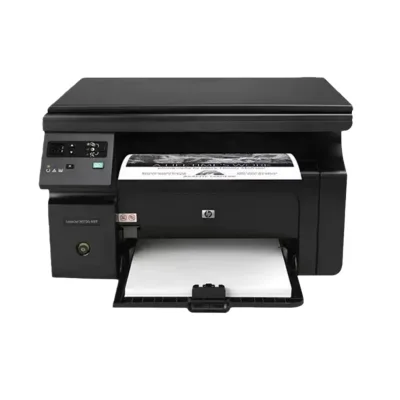
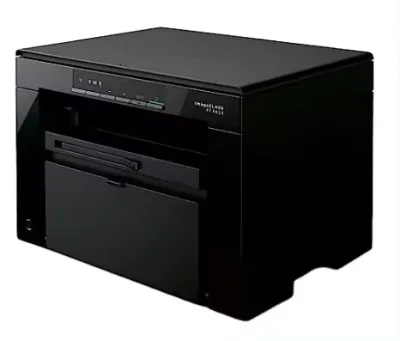
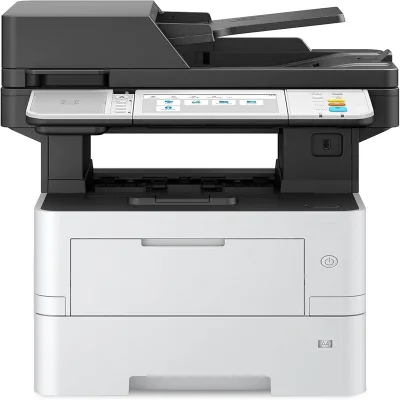
Hanin TG1000A A4 Document Printer Commercial Laser Office Printers for Office Use
$220.00 - $496.00
MOQ: 10 Pieces





Comprehensive Sourcing Guide
Compact Office Laser Printer with Scan to USB Sourcing Guide
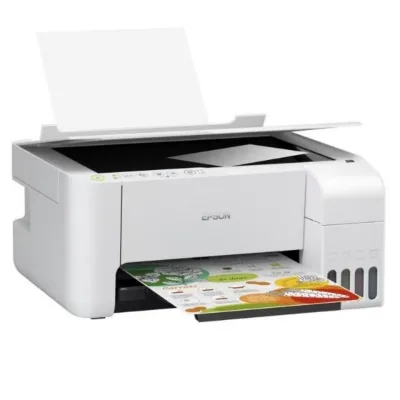
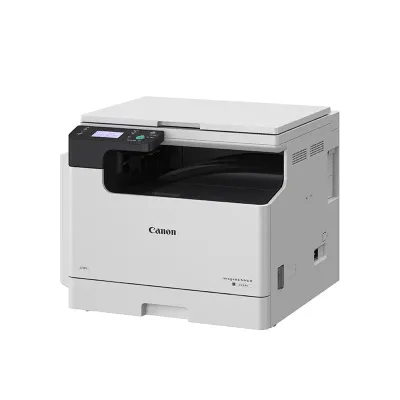
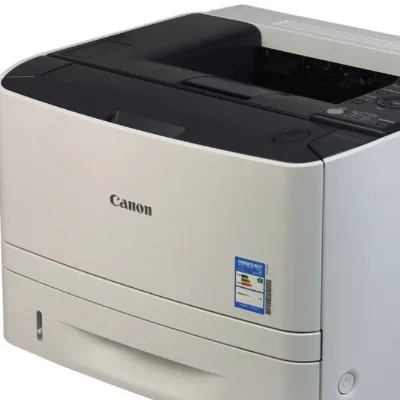
The market for compact office laser printers with scan-to-USB functionality presents a diverse range of options, from general-purpose multifunction devices to specialized barcode scanners. Buyers must distinguish between full-featured printers capable of print, copy, scan, and fax operations and single-function units designed for specific tasks like scanning barcodes. The observed product listings indicate a wide spectrum of capabilities, including models supporting automatic duplex printing and network connectivity, which are critical for modern office workflows.
Procurement decisions should prioritize the specific interface requirements of the intended environment. While some units offer wired and wireless network printing, others rely on direct USB connections for scanning and data transfer. It is essential to verify whether the device supports the specific scanning light source required, such as laser technology, and to confirm the maximum paper size compatibility, which ranges from A4 to A3 in various listings. This distinction ensures the selected hardware aligns with the physical document handling needs of the office.
Product Scope and Observed Listing Signals
Buyers should carefully analyze the functional scope of listed devices, as the term "printer" often encompasses multifunction units with varying capabilities. Some observed models support a comprehensive suite of functions including printing, copying, scanning, and faxing, while others are limited to printing or scanning only. The presence of specific model numbers like the HP Laserjet PRO M128fp or Canon Irc3322L suggests a mix of established brands and generic configurations, requiring verification of the actual feature set against the buyer's operational checklist.
Packaging and origin details provide additional context regarding the product's intended market and logistics. Listings frequently specify origins in Guangdong or Fujian, China, with packaging ranging from standard boxes to wooden crates for larger industrial units. The observed price range is exceptionally broad, spanning from under fifty dollars to over five hundred dollars per piece, reflecting differences in technology, capacity, and brand positioning. Buyers must correlate these price points with the specific output types, such as colored or monochrome, to ensure value alignment.
Technical Specifications to Verify
Technical due diligence requires confirming the physical dimensions and paper handling capacities of the selected unit. Specifications vary significantly, with some devices supporting paper capacities between 50,000 and 100,000 sheets, while others are designed for smaller, more compact environments. The maximum paper size is a critical constraint, with listings showing support for A4, A3, Letter, and A5 formats. Verifying these dimensions against the standard physical footprint of the office space is necessary to prevent installation issues.
Performance metrics such as warm-up time and scanning speed are equally vital for operational efficiency. Observed data indicates warm-up times of approximately 30 seconds for certain models, which impacts daily workflow continuity. Additionally, the zoom range for scanning functions can vary from 25% to 400%, affecting the flexibility of document digitization. Buyers must ensure the interface type, whether USB or network-based, matches their existing IT infrastructure to facilitate seamless data transfer and scanning operations.
Compliance and Safety Documentation
Regulatory compliance is a non-negotiable aspect of sourcing electronic office equipment, particularly when importing from international markets. Many observed listings explicitly mention certifications such as CE, CCC, CIC, and RoHS, which indicate adherence to safety and environmental standards in various jurisdictions. Buyers must request and validate these certificates to ensure the product meets the legal requirements of the destination country, avoiding potential customs delays or safety liabilities.
Safety documentation also extends to the physical construction and material composition of the devices. Some units are constructed with split-type cartridges, which may have specific disposal or handling requirements. The product standards listed, such as specific millimeter dimensions or size-based criteria, serve as benchmarks for quality assurance. Procurement teams should verify that the manufacturer provides clear documentation on material safety and operational hazards to protect end-users and maintain a safe working environment.
Cost Drivers and Commercial Terms
Understanding the commercial terms is essential for accurate budgeting and total cost of ownership analysis. The observed listings include terms like EXW (Ex Works), which places the responsibility for shipping and insurance on the buyer from the point of origin. This term significantly impacts the final landed cost, as buyers must account for freight, insurance, and import duties separately from the unit price. Clarifying these terms early prevents unexpected expenses during the logistics phase.
Price variability is driven by factors such as technology type, capacity, and included features. While some units are priced under fifty dollars, others exceed five hundred dollars, often correlating with advanced features like color laser printing or high paper capacity. The minimum order quantity (MOQ) ranges from one to ten units, offering flexibility for small offices or larger bulk procurement needs. Buyers should negotiate based on the specific configuration required, ensuring that the cost reflects the actual functional capabilities and durability of the hardware.
Supplier Qualification and Quality Control
Supplier qualification involves verifying the manufacturing location and production standards to ensure consistent quality. The majority of observed products originate from specific regions in China, such as Guangdong and Xiamen, Fujian, which are known hubs for electronics manufacturing. Buyers should assess the supplier's ability to maintain consistent production standards, as indicated by the variety of model numbers and specifications available in the market. Consistency in output is crucial for maintaining uniform performance across multiple units.
Quality control measures should focus on the physical attributes and functional reliability of the devices. Inspections should verify the accuracy of specifications such as memory capacity, scanning light sources, and network printing capabilities. The presence of certifications like CE and ISO suggests a baseline level of quality management, but on-site audits or third-party testing may be necessary for large orders. Ensuring that the product packing, whether box or carton, protects the device during transit is also a key component of the quality assurance process.
Long-Term Procurement Checks
Sustainable procurement requires planning for the long-term maintenance and support of the office equipment. Buyers should evaluate the availability of replacement parts, such as split-type cartridges, and the ease of accessing technical support for network scanning issues. The longevity of the device depends on the availability of firmware updates and the durability of components like the scanning light source and paper feed mechanisms. Establishing a relationship with a supplier who can provide ongoing support is critical for minimizing downtime.
Future-proofing the procurement strategy involves monitoring the evolution of connectivity standards and paper size requirements. As office needs shift, the ability to upgrade network capabilities or adapt to different paper formats becomes increasingly important. Buyers should review the product's standard specifications and ensure they align with projected growth and technological changes. Regularly reassessing the performance of the installed units against the original specifications helps maintain operational efficiency and justifies future investment decisions.
FAQs
Can I find compact office laser printers with scan to USB support?
Yes, you can find compact office laser printers with scan to USB support. Many models include wired or wireless network printing capabilities alongside USB interfaces. These devices often support multiple functions like printing, copying, and scanning for efficient office workflows.
What is the maximum paper size for these printers?
The maximum paper size varies by model, with some supporting A4 and others handling A3 sizes. Specific units like the HP Laserjet PRO M128fp handle A4, while others accommodate larger formats. Always check the specification sheet for the exact maximum paper size before purchasing.
Which printers offer automatic duplex printing capabilities?
Certain models in this category offer automatic duplex printing for two-sided output. This feature helps save paper and reduce costs during high-volume printing tasks. Verify the product specifications to confirm if a specific unit includes this automatic double-sided printing function.
How fast do these printers warm up for use?
Typical warm-up times for these units are around 30 seconds. This allows for quick readiness when starting a print job. The medium speed classification suggests balanced performance suitable for general office environments without excessive delays between tasks.
What certifications do these printers typically hold?
Many units carry standard certifications such as CE, CCC, CIC, and RoHS. These ensure compliance with safety and environmental regulations. When sourcing, look for products explicitly listing these certificates to guarantee they meet international quality and safety standards for office equipment.
Can I customize the packaging for bulk orders?
Customization is available for packaging options like boxes or wooden crates. Buyers can often select between standard carton packing or more robust wooden packaging depending on shipping needs. Contact suppliers directly to confirm specific customization options for your order volume.
What is the typical paper capacity for these machines?
Paper capacity ranges significantly, with some models holding 50,000 to 100,000 sheets. This high capacity supports heavy usage in busy offices. Check the specific model details to ensure the paper tray size meets your daily volume requirements.
Where are these printers typically manufactured?
These printers are typically manufactured in regions like Guangdong and Xiamen in China. Production origins vary by brand and model, so verify the specific product origin listed. This information helps in assessing logistics and potential lead times for your procurement.