Source Automatic USB3 DTG Printer for T-Shirts, Labels, Cards
Compare 30 Automatic USB3 DTG Printer listings featuring USB2 interfaces, Windows XP support, and customizable color options for t-shirts, labels, and cards. Buyers can evaluate specifications like 1200 dpi resolution, XP600 print heads, and 110/220v power modes from Chinese manufacturers.
Key considerations
Products List


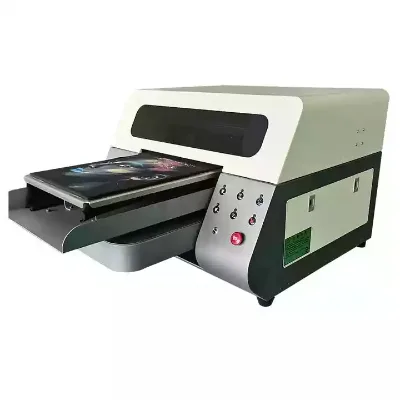
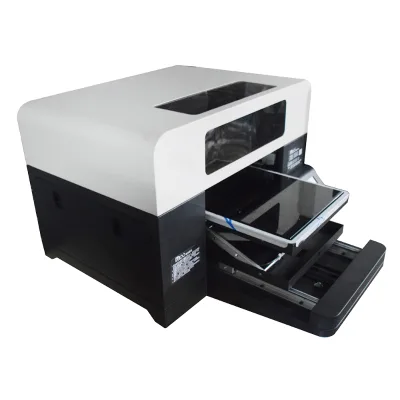
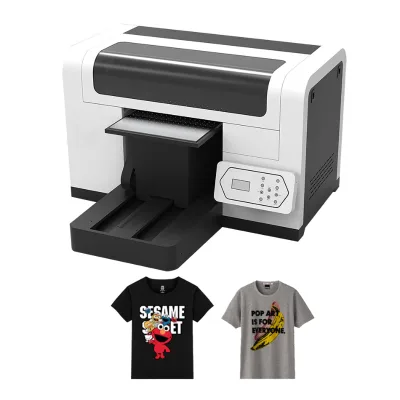

Good Quality A3 Desktop T-Shirt Printing Machine Digital Automatic DTG Printer
$2100.00 - $2485.00
MOQ: 1 Pieces


Good Quality New T-Shirt Digital Printing Machine Desktop A3 DTG Printer
$2100.00 - $2485.00
MOQ: 1 Pieces

Best Price Automatic T-Shirt Printing Desktop Digital A3 DTG Printer on Hot Sale
$2100.00 - $2685.00
MOQ: 1 Pieces

Dtf Printer 60cm 30cm Digital DTG for T-Shirt Print with/XP600 I3200
$2100.00 - $2480.00
MOQ: 1 Pieces

Best Price Custom T-Shirt Printing DTG Digital T Shirt A3 Printer with Shaking
$2100.00 - $2485.00
MOQ: 1 Pieces


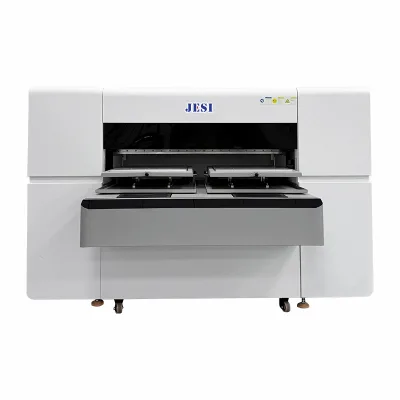

Dtf Printer Sublimation Printer DTG Printer Machine 30cm to 320cm Available
$3000.00 - $3900.00
MOQ: 1 Pieces


Comprehensive Sourcing Guide
Strategic Sourcing Guide for Automatic USB3 DTG Printers
Technical Architecture and Interface Compatibility
When evaluating an automatic USB3 Direct-to-Garment (DTG) printer, the primary focus must be on the intersection of mechanical automation and digital interface reliability. The core keyword implies a machine capable of handling automated workflows while maintaining high-speed data transfer via USB 3.0. Based on observed product attributes, the market offers systems where the "Automatic Grade" is explicitly defined as "Automatic," indicating a level of mechanization that reduces manual intervention during the printing cycle. This is distinct from manual flatbed units, as the automation often encompasses the platen movement and ink management systems.
The printing interface is a critical differentiator. While the specific keyword highlights USB3, observed listings frequently cite "USB2" as a standard interface for many models in this category, alongside "Windowsxp" as a supported operating system. Buyers must verify if the specific unit supports the higher bandwidth of USB 3.0 to ensure that the data throughput required for high-resolution printing (up to 720x1800 DPI) is not bottlenecked by legacy interface limitations. The printing speed observed in similar configurations varies significantly, with some units reporting speeds of "7.5CPI" (characters per inch) or "A4 2minute," while others claim "Up To 10 ppm" (pages per minute). These discrepancies highlight the need for precise verification of the specific model's throughput capabilities against the buyer's production volume requirements.
The mechanical structure is predominantly "Platen Press" based, designed to hold the substrate securely during the print process. The "Printing Interface" and "Control Type" often rely on a "Push Button" mechanism for basic operations, though advanced models may integrate more sophisticated software controls. The "Printing Software" ecosystem, such as "Ultraprint" or "Photoprint," plays a vital role in bridging the gap between the digital file and the physical output. Buyers should ensure that the software supports the specific "Support picture format" requirements, which typically include JPG, TIFF, and PDF. The compatibility with "Windowsxp" suggests that while these machines are functional, they may require legacy operating system environments or specific driver configurations that differ from modern Windows 10/11 standards, necessitating a thorough IT compatibility check before procurement.
Ink Systems and Print Resolution Capabilities
The quality of the final output in a DTG printer is inextricably linked to the ink system and the print head technology. The observed data indicates a preference for "Textile Ink" formulations, specifically utilizing a "W + CMYK" (White + Cyan, Magenta, Yellow, Black) color model, often with additional "Light Oil" or "Light CMYK" channels to achieve smoother gradients and better color saturation on dark garments. The "Ink Color" configuration is described as "Multi-Colour Printing Press" or "Multicolor," ensuring that the machine can handle complex, full-color designs without requiring separate passes for different color sets.
Print resolution is a key performance indicator for DTG technology. The market offers units with a "Print Resolution" of 1200 dpi and a "highest resolution" of 720x1800 DPI. These figures suggest that the machines are capable of producing fine details suitable for high-end apparel branding. The "Print head" technology is another critical variable, with "XP600" and "Epson I3200" being the most commonly observed models. These print heads are known for their reliability and ability to handle the viscosity of textile inks. The "Printing Thickness" capability, ranging from "0MM-150MM," indicates that these machines are versatile enough to handle not just flat garments but also items with varying thicknesses, provided the "Medium Height" can be adjusted. Some listings specify a "Medium Height" of 10cm with "Ultrahigh Customizable" options, allowing for the printing on thicker items like hoodies or bags.
The "Ink type" is consistently listed as "Textile Ink," which is formulated to bond with fabric fibers rather than sitting on the surface like traditional screen printing inks. This characteristic is essential for the "Cloths Printer" and "Tshirt Printer" applications. The "Usage" of these machines extends beyond just t-shirts to include "Paper Printer," "Label Printer," "Card Printer," "Tube Printer," and "Bill Printer," suggesting a multifunctional capability. However, the primary design intent remains focused on textile applications, as evidenced by the "Product Type: DTG Printing" and "Key words: dtg printer t-shirt printing machine." Buyers should verify the specific ink chemistry to ensure it meets the wash-fastness and durability requirements of their target market, as "Textile Ink" is a broad category that can vary significantly in quality and performance.
Operational Specifications and Physical Constraints
Understanding the physical and operational constraints of an Automatic USB3 DTG Printer is essential for facility planning and workflow integration. The "Dimensions" of these machines vary, with observed specifications including "937252cm" and a standard "prod_standard" of "180010001000mm." These dimensions indicate that while some units are compact, others require significant floor space, particularly when accounting for the "Create Bracket and Seal" packing method which suggests the need for custom mounting or support structures. The "Weight" of the unit is noted as "100" (likely kilograms), which necessitates a sturdy floor and potentially specialized lifting equipment for installation.
Power requirements are another critical operational factor. The "Voltage" is typically listed as "110/220v," offering flexibility for international deployment, but the "Gross Power" consumption is specified as "350w." This power draw must be factored into the facility's electrical load calculations. The "Power Mode" is described as "Power Supply," indicating a standard external power adapter or internal power supply unit. The "Condition" of the products is uniformly "New," which implies that buyers should expect a fresh unit with a standard "Warranty" period, often cited as "1 Year."
The "Single package size" is listed as "XX cm" in some contexts, which is a placeholder indicating that packaging dimensions can vary significantly based on the specific model and manufacturer. This variability underscores the importance of confirming shipping dimensions and weight for logistics planning. The "Printing Material" is identified as "Flex," which refers to the flexibility of the print bed or the material compatibility, allowing the machine to print on various substrates. The "Plate Type" is consistently "DTG Printer," reinforcing the specialized nature of the equipment.
Application Scope and Versatility
The versatility of the Automatic USB3 DTG Printer is one of its most compelling features for B2B buyers. The "Usage" field explicitly lists a wide range of applications, including "Cloths Printer," "Paper Printer," "Label Printer," "Card Printer," "Tube Printer," and "Bill Printer." This multifunctionality suggests that the machine is not limited to just textile printing but can be adapted for various promotional and industrial printing needs. The "Product Name" often includes "tshirt printer," highlighting its primary market focus, while the "Type" is described as "dtg printer t-shirt a2 printing machine," indicating its capability to handle A2-sized prints, which is larger than standard A4 formats.
The "Printing Interface" and "System Supported" (Windowsxp) suggest that the machine is designed for a specific workflow environment. While the "Windowsxp" support might seem dated, it indicates that the machine's driver architecture is stable and well-tested for legacy systems. However, buyers should verify if the machine can be upgraded or if it requires a dedicated workstation running the specified operating system. The "Printing Speed" of "A4 2minute" or "Up To 10 ppm" provides a baseline for production capacity, but the actual speed will depend on the complexity of the design and the number of colors.
The "Color & Page" attribute, listed as "Multi-Colour Printing Press" or "Multicolor," confirms the machine's ability to handle full-color designs. This is crucial for the "Cloths Printer" application, where vibrant, detailed graphics are often required. The "Ink Color" configuration of "W + CMYK" allows for printing on both light and dark garments, a key requirement for modern apparel printing. The "Support picture format" of JPG, TIFF, and PDF ensures compatibility with standard design software, making it easy for graphic designers to integrate the machine into their existing workflow.
Supplier Evaluation and Quality Assurance
When sourcing an Automatic USB3 DTG Printer, the evaluation of the supplier is as critical as the evaluation of the machine itself. The "Place of Origin" is consistently listed as "Guangdong, China," which is a major hub for printing machinery manufacturing. While this indicates a high concentration of suppliers, it also means that buyers must be diligent in verifying the specific manufacturer's reputation and quality control processes. The "Brand Name" "Disen" is observed in some listings, but buyers should not rely on a single brand and should instead evaluate multiple suppliers based on their technical support, warranty terms, and after-sales service.
The "Warranty" of "1 Year" is a standard offering, but buyers should inquire about the scope of the warranty, including coverage for print heads, ink systems, and mechanical components. The "Condition" being "New" is a basic requirement, but buyers should also request proof of testing and quality assurance documentation. The "Selling Units" being "Single item" suggests that the machine is sold individually, which simplifies the procurement process but requires careful attention to the "MOQ" (Minimum Order Quantity), which is observed as "1-1," indicating that buyers can purchase a single unit without needing to meet a bulk order threshold.
Quality control should extend beyond the initial purchase. Buyers should verify the "Print Resolution" and "Printing Speed" through sample tests before finalizing the order. The "Print head" model (XP600 or Epson I3200) should be confirmed as genuine and not a counterfeit or refurbished unit. The "Ink type" should be verified for compatibility with the specific "Textile Ink" requirements of the buyer's target market. The "Support picture format" and "Printing Software" should be tested to ensure seamless integration with the buyer's design workflow.
Cost Drivers and Long-Term Procurement Strategy
The cost of an Automatic USB3 DTG Printer is influenced by several factors, including the "Print head" technology, the "Ink system," and the level of automation. The observed "Price range" of 500-80000 USD reflects the wide spectrum of options available, from entry-level models to high-end industrial machines. Buyers should be aware that the initial purchase price is only one component of the total cost of ownership. The "Gross Power" consumption of "350w" and the "Ink type" costs will contribute to ongoing operational expenses.
The "Customization" attribute is listed as "Available," which can be a significant cost driver. Customizing the machine to fit specific production requirements, such as adjusting the "Medium Height" or modifying the "Printing Interface," can increase the initial cost but may improve long-term efficiency. The "Packing" method, described as "Create Bracket and Seal," suggests that the machine may require additional setup or installation costs, which should be factored into the budget.
Long-term procurement considerations include the availability of spare parts, the cost of ink, and the reliability of the "Print head." The "Warranty" of "1 Year" is a starting point, but buyers should consider the total lifecycle cost of the machine, including maintenance, repairs, and potential upgrades. The "System Supported" (Windowsxp) may require ongoing IT support or upgrades to ensure compatibility with modern operating systems. The "Printing Speed" and "Print Resolution" should be evaluated against the buyer's production goals to ensure that the machine remains relevant as market demands evolve.
Final Procurement Considerations and Verification
Before finalizing the procurement of an Automatic USB3 DTG Printer, buyers must conduct a comprehensive verification of all technical and operational specifications. The "Place of Origin" being "Guangdong, China" requires careful supplier vetting to ensure quality and reliability. The "Brand Name" "Disen" is one option, but buyers should explore multiple suppliers to find the best fit for their specific needs. The "Warranty" of "1 Year" is standard, but the scope of coverage should be clearly defined.
The "Print head" model (XP600 or Epson I3200) and the "Ink type" (Textile Ink) are critical components that determine the quality and durability of the prints. The "Printing Speed" and "Print Resolution" should be tested to ensure they meet the buyer's production requirements. The "Support picture format" and "Printing Software" should be verified for compatibility with the buyer's existing workflow. The "Customization" options should be evaluated to determine if they add value to the specific application.
Finally, buyers should consider the "Cost Drivers" and "Long-Term Procurement Strategy" to ensure that the machine remains a viable investment over its lifecycle. The "Gross Power" consumption and "Ink" costs should be factored into the total cost of ownership. The "Packing" method and "Dimensions" should be verified to ensure the machine fits within the buyer's facility. By carefully evaluating all these factors, buyers can make an informed decision that aligns with their production goals and budget constraints.
FAQs
What is the highest print resolution for this automatic DTG printer?
The highest resolution reaches 720x1800 DPI for fine detail output. This capability supports high-end apparel branding while maintaining compatibility with standard design formats like JPG and TIFF.
Which ink system does the Automatic USB3 DTG Printer utilize?
It utilizes a W + CMYK textile ink system often including light channels. This configuration ensures vibrant color saturation on both light and dark garments without requiring separate passes.
Can this machine print on items with varying thickness?
Yes, the printing thickness ranges from 0mm to 150mm. The medium height is customizable up to 10cm, allowing for the printing on thicker items like hoodies or bags.
What operating system is supported by the automatic DTG printer?
The system supports Windows XP for driver compatibility. Buyers must verify if legacy operating system environments are required or if specific driver configurations are needed for modern setups.
How long is the warranty period for the new automatic printer?
The standard warranty period is 1 Year for new units. This coverage typically applies to mechanical components, though specific terms for print heads and ink systems should be verified with the supplier.
What is the typical power consumption for the automatic DTG unit?
The gross power consumption is specified as 350 watts. This value must be factored into facility electrical load calculations alongside the standard 110/220v voltage flexibility.